If you need storage units Midwest City residents usually start with a simpler question: whether your things belong in a climate-controlled unit or in a large drive-up unit you can load from the parking area. Click Storage in Midwest City, at 1951 S Douglas Blvd, offers both, and this guide explains the difference using the sizes the location page actually names.
If you are planning a military move near Tinker AFB, use this page to compare unit types, then read our guide to storage planning for military families near Tinker AFB for PCS and deployment logistics. Rates and vacancy change, so confirm both on the live location page before you rent.
What storage units Midwest City offers on Douglas Boulevard
Click Storage in Midwest City sits at 1951 S Douglas Blvd, Midwest City, OK 73130. The office phone is (405) 888-8278.
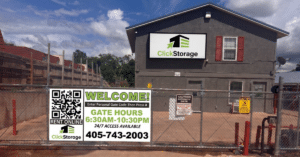
The site offers climate-controlled units and drive-up units. You can rent online, and a new disc lock is included. The facility also has gated access. Confirm access hours and terms at rental. The location page also notes the site’s proximity to Tinker AFB. Military families should use the Tinker article linked above for PCS and deployment planning, since this guide is about choosing a unit type.
Climate-controlled units: 5×10 and 10×20
The facility FAQ names climate-controlled 5×10 and 10×20 units for sensitive items such as electronics and documents, along with other household goods that need more protection. Oklahoma summers are hard on those items, because heat and humidity can warp wood and fog photographs, and electronics do not love those swings either. This post does not quote a temperature range, because the location page does not publish one. For a fuller explanation of when climate-controlled storage is worth it, see that guide.
A 5×10 is a practical starting size for a tighter inventory. Our guide to what fits in a 5×10 unit describes smaller sofas, dining table sets, and queen-sized mattresses, and it is a useful check before you reserve. A climate-controlled 10×20 gives you more floor space for a larger household load that still needs protection from heat and humidity. If you want a sense of what a 10×20 can hold in general, Click Storage’s 10×20 size guide discusses large furniture. Confirm that the Midwest City 10×20 you are considering is the climate-controlled type named in the FAQ, because drive-up sizes at this site are listed separately.
A 10×10 also appears on the Midwest City page. The page does not say whether that size is climate-controlled, so do not assume a type. Confirm the unit type and vacancy on the location page.
Large drive-up units: 10×30 and 10×40
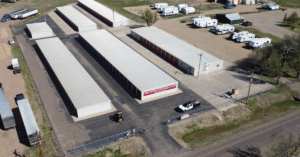
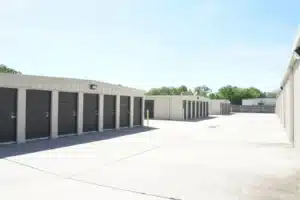
The FAQ names 10×30 and 10×40 drive-up units for a full home during a move, or for contractor inventory. These are the better fit when you have bulky furniture or equipment and want to park next to the door, load in, and lock up without carrying items down a hallway.
Drive-up access makes loading easier, and it does not change the climate inside the unit. If the items are sensitive to heat or humidity, look at the climate-controlled sizes above instead, or ask the facility whether you should split the load. The Midwest City page does not describe RV or boat parking, and it does not describe indoor vehicle storage, so those options should be confirmed elsewhere if you need them.
How to choose between climate control and drive-up
Start with the items you plan to store, and let that list tell you which kind of unit to look at:
- Photos, electronics, documents, and some wood furniture lean toward a climate-controlled 5×10 or 10×20.
- Bulky, less sensitive items, and anything you want to load from the parking area, lean toward a 10×30 or 10×40 drive-up unit.
You can also rent both types if part of the load needs protection and the rest is bulky. A common pattern is to put documents and electronics in the climate-controlled unit, along with photos, then use the drive-up unit for furniture or contractor inventory that is harder to carry. The location page does not describe a two-unit discount, so treat each unit as its own reservation and confirm what is vacant online.
If you are in the middle of a household move, start with the larger drive-up sizes and be honest about what cannot sit in summer heat. If you are storing a smaller set of household goods for a longer stretch, the climate-controlled 5×10 or 10×20 is usually the more careful starting point.
How to rent a unit
You can rent online at the Midwest City location page. Confirm access hours and terms at rental. A new disc lock is included. For current rates, check the location page or call (405) 888-8278. Rates vary by unit type, size, and availability, and they are not listed as dollar amounts in this article.
If you are comparing costs, see our existing guide to ways to save on storage in Midwest City, which is written for that question.
When you have a size and unit type in mind, open the Midwest City location page to see what is vacant, then rent online or call (405) 888-8278.
FAQs
Where is Click Storage in Midwest City?
1951 S Douglas Blvd, Midwest City, OK 73130. Phone (405) 888-8278.
Do you have climate-controlled units?
Yes. The facility FAQ names climate-controlled 5×10 and 10×20 units. Check the location page for what is vacant today. Other sizes should not be assumed to be climate-controlled unless the page or the office says so.
What large drive-up units are available?
The FAQ names 10×30 and 10×40 drive-up units. The mix can change, so check the location page for what is vacant.
Is this close to Tinker AFB?
Yes, the location page discusses that proximity. For move timing, deployment, and family logistics, use the Tinker AFB guide linked earlier in this article, which is the place for that planning. This article does not give a distance or base access rules.
How much does a unit cost?
It depends on the unit type, the size, and what is vacant. Check the location page or call (405) 888-8278 for current rates. This article does not quote a dollar amount or a military rate.